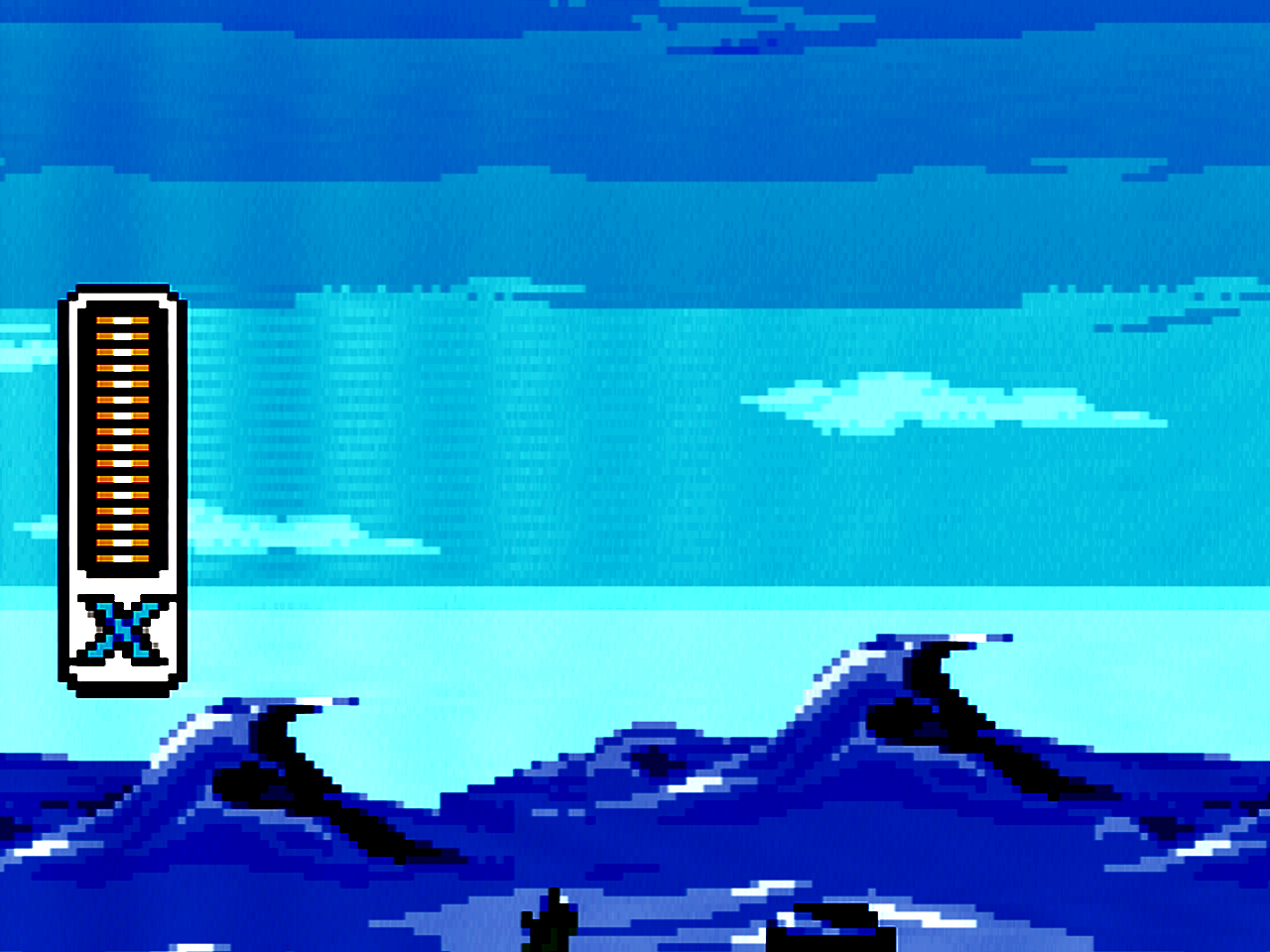
The 1-chip models of the Super Nintendo are known to exhibit some amount of ghosting, as can be seen in the image below (note that the contrast has been enhanced to show the issue more clearly). In this instance, you can see the lines of the health bar repeated faintly to the right. A relatively simple fix was found by Voultar on this Shmups thread.
Tools
- Soldering iron
- 4.5 mm game bit
- Phillips screwdriver
- Tweezers
Materials
- 220 nf or 470 nf SMD capacitor (0603 package should fit either system, but you may want 0805 for the “fat” model)
- See notes for help determining which capacitor to use
- Solder
- Flux (optional)
Procedure
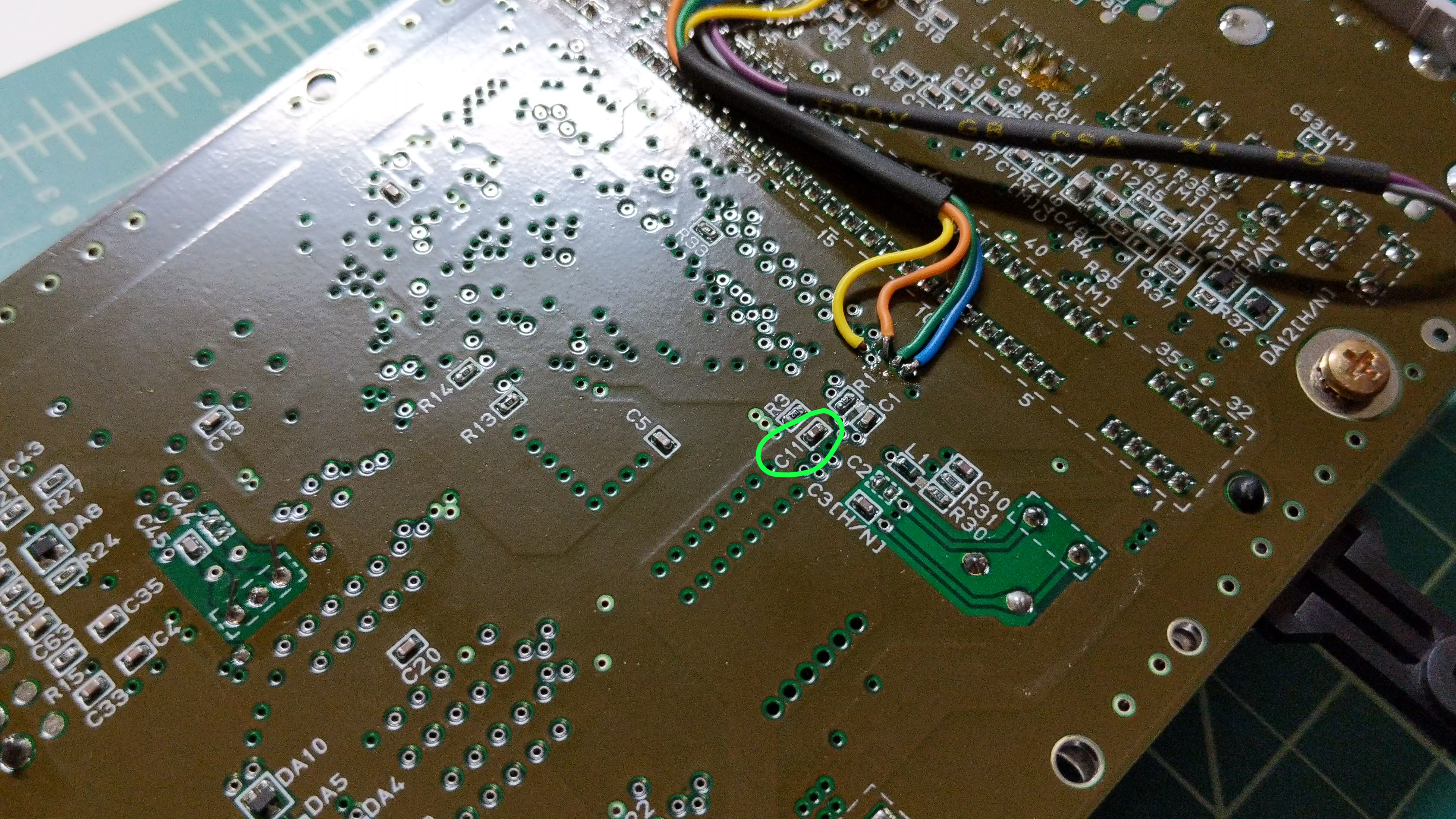
These steps apply to the SNES Jr. The general procedure applies to the “fat” model as well, but the specifics may need to be added. First, open your console, following the appropriate disassembly guide as needed. Remove the circuit board from the case and flip it over. Look for the capacitor labeled C11. For the Jr, you can see the location circled in this image (the wires are part of an RGB mod).
To remove the capacitor, you basically just need to load it up with solder until it comes off. Use your soldering iron to heat up one of the solder pads on the capacitor. Flow solder onto this connection, then move the iron to the other side and do the same thing. Keep moving back and forth until the capacitor slides off.
With the capacitor out of the way, clean up the solder pads, then flow a little solder onto them. Using the tweezers, hold the new capacitor in place over the solder pads. Use the soldering iron to heat up one side to tack the capacitor into place. It helps to use some flux for this part. Now that one side is tacked in place, solder the other side securely to the board. After doing that, I recommend going back to the first side and reflowing some solder to make sure the connection is solid. Now just reassemble the console and enjoy!
Notes
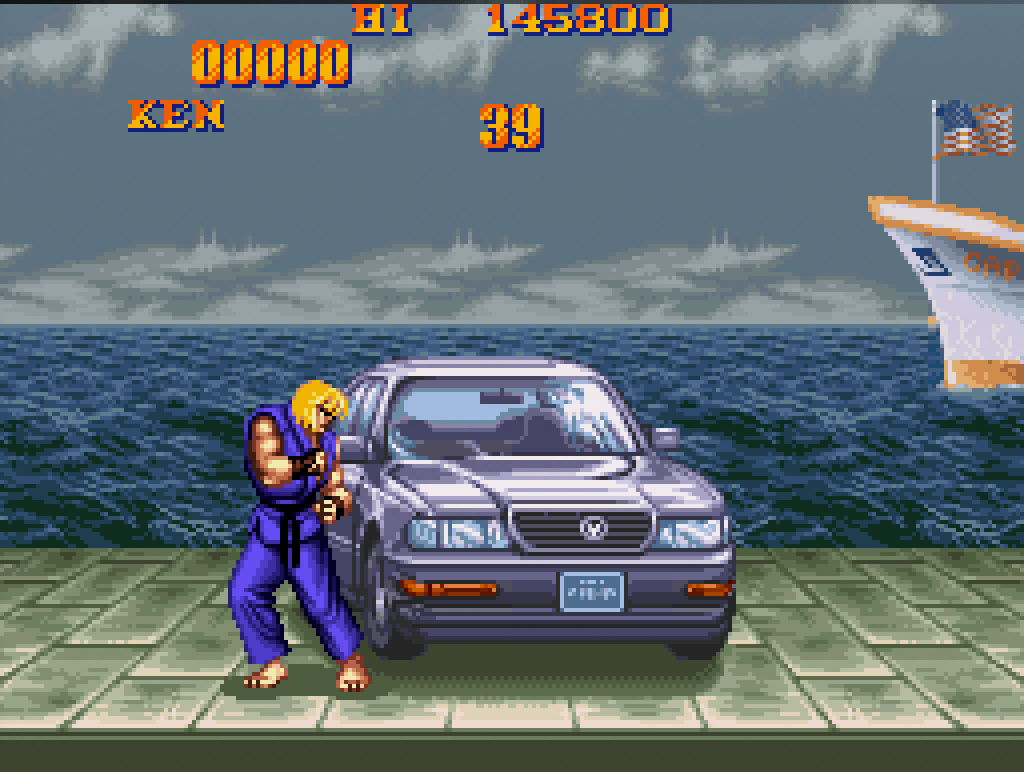
While testing different capacitor values, it was determined that 470 nf is the minimum value need to eliminate all ghosting and is therefore the preferred value. However, coding used in certain games (mostly Capcom games) is not optimized for 1-chip systems and increasing the value of C11 makes certain visual glitches worse. For that reason, some people have chosen 220 nf for the value of C11 as this still eliminates most of the ghosting without increasing the visibility of the artifacts. The image on the left shows what happens with 220 nf; the image on the right shows what happens with 470 nf. Since this is an issue with the code and not the circuitry, it is possible to patch these games if you are using a flash cart or programming a repro.
220 nf 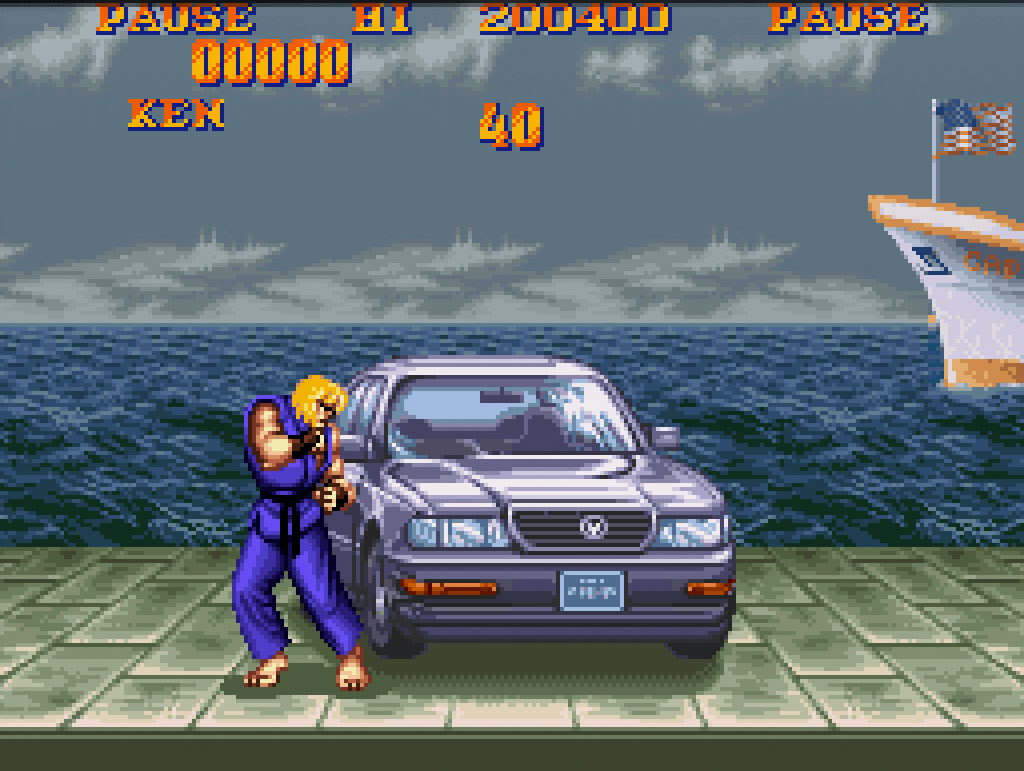
470 nf
 Retro Console Mods